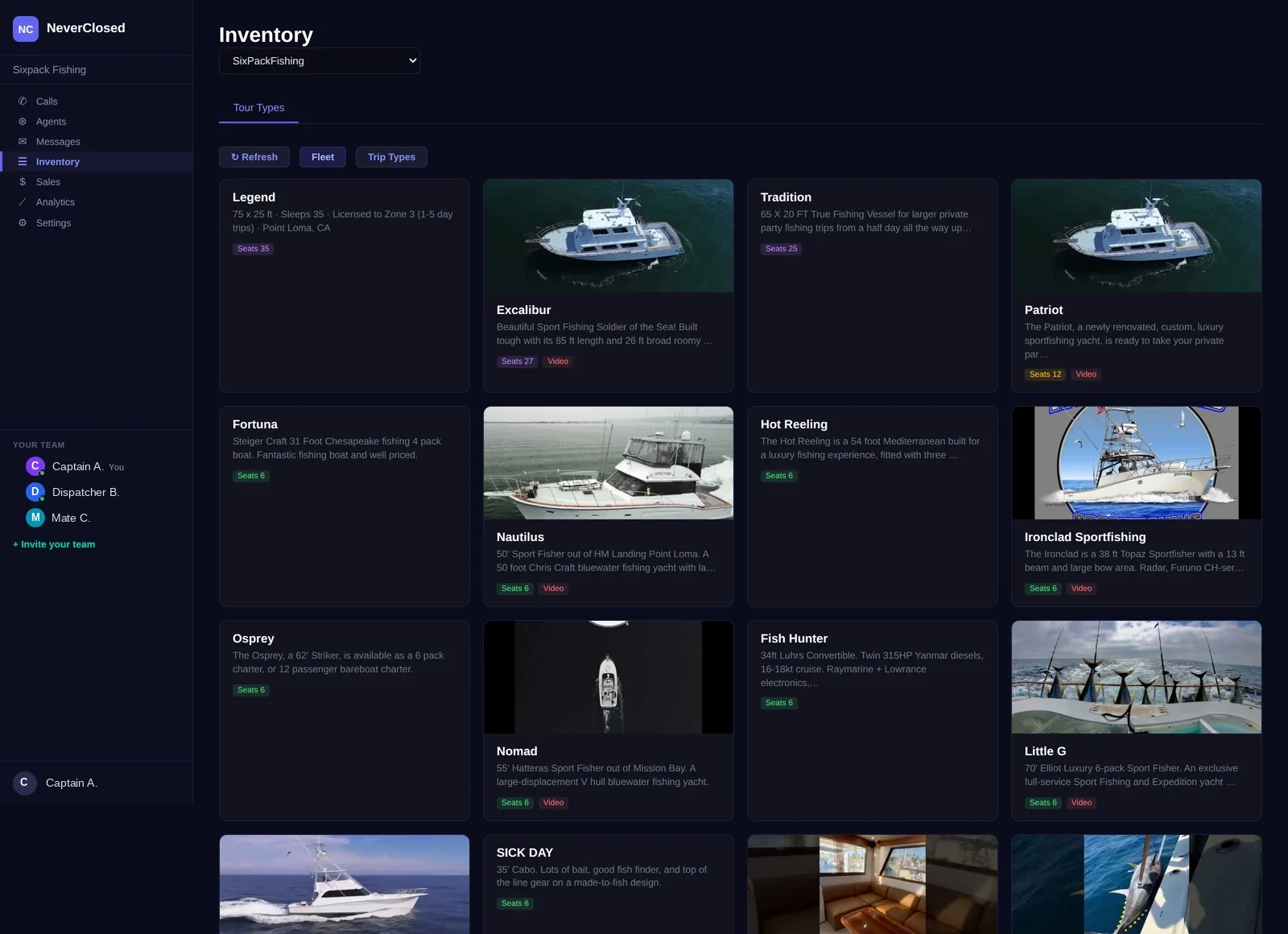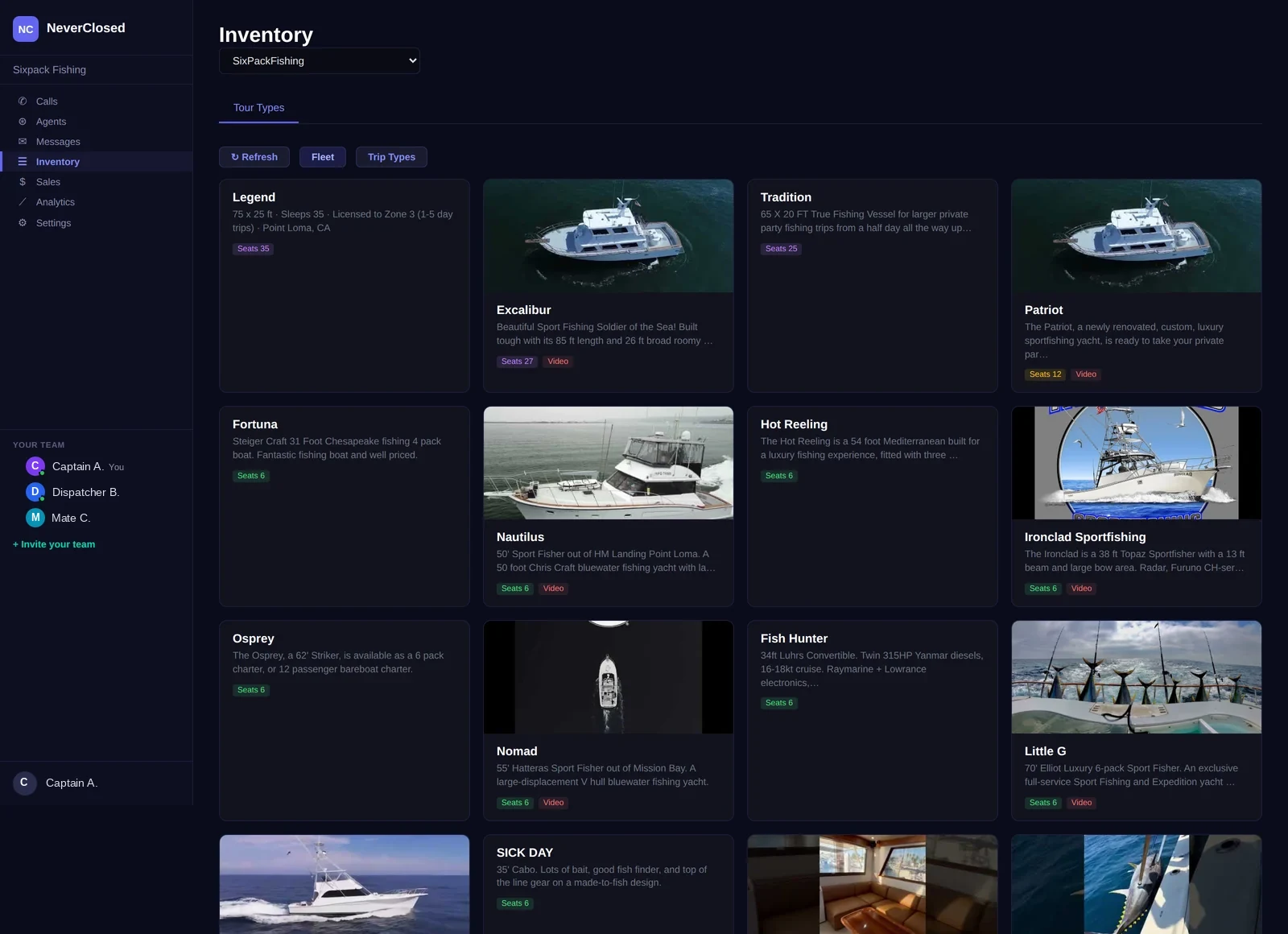
Your tour product catalog is the foundation everything else builds on. Pricing, availability, AI agent conversations - they all reference this central inventory. When a customer asks your voice agent about tours, the answer comes from here.
The challenge for most tour operators is not having products - it is managing them. Each addition multiplies complexity. Spreadsheets groan under the weight.
The Inventory screen cuts through this chaos with ruthless organization. Every product gets a visual card showing name, description, pricing, duration, capacity.
Product Card Layout and Information
Visual Card Grid
Products display as visual cards in a responsive grid with all essential information.
Product Images
Hero image or placeholder for each tour for visual identification.
Product Title
Full tour name prominently displayed for customer-facing use.
Product Description
Brief description pulled from booking platform.
Product Metrics and Pricing
Duration Display
Tour length in standardized format for schedule planning.
2.00hPricing Information
Base price per product ranging from $0 to $229.
$85.00 - $229.00Slot Capacity
Available inventory per departure for capacity management.
10 SlotsQuick Actions Menu
Edit, View, Duplicate, Deactivate, Delete options.
AI Agent Knowledge: Your AI voice agent knows every product in this inventory. When customers ask about tours, the agent describes options, compares prices, and checks real-time availability.
Product Source and Type Badges
NATIVE Badge
Green badge indicates products created directly in NeverClosed with full control.
NATIVEPACKAGE Badge
Amber badge shows products synced from external platforms.
1 PACKAGEMultiple Package Tiers
Multiple pricing tiers for adult/child rates or seasonal variations.
Integration Source
Badge helps identify data origin for proper management.
Inventory Management Controls
Search and Filter
Search by name or description. Filter by category, price, duration.
Sort Options
Sort by name, price, duration, or popularity.
Bulk Actions
Select multiple products for mass updates.
Add New Product
Create native products directly with full settings.
Platform Sync
Automatic import from connected platforms.
Active/Inactive Toggle
Enable or disable products while retaining data.
The product catalog might seem simple, but it is the command center for what your business sells. Every tour, price, and capacity limit flows from here into customer conversations.
For growing tour operations, this organizational foundation becomes increasingly valuable. The Inventory screen scales from startup simplicity to enterprise complexity.
Frequently Asked Questions
Can I create seasonal pricing variations?
Yes, pricing tiers support seasonal variations. The AI agent automatically quotes the appropriate rate.
How do I handle synced products that need local adjustments?
You can add NeverClosed-specific notes and AI hints without affecting the source system.
What happens to historical data if I delete a product?
Historical booking data remains intact. The product moves to an archived state.
Can I duplicate a product to create variations?
Yes, the duplicate function creates a copy with all settings for easy variation creation.
How does the AI describe products without images?
AI descriptions rely on product names and text descriptions rather than images.
Is there a limit to how many products I can have?
No practical limit exists. Performance remains smooth through pagination and lazy loading.