One sidebar, nine menus
Every NeverClosed workspace opens on the same sidebar. What your agent answers, who it called, what it booked, what it collected and how it is configured all live behind those nine items. Each section below is that menu, exactly as it renders.
Calls
comcenter.html · the inboxEvery caller, every conversation, in one thread. The agent's transcript, the SMS that followed, the payment link it sent and the notes your team added all sit on the same timeline - so whoever picks it up next already knows the story.
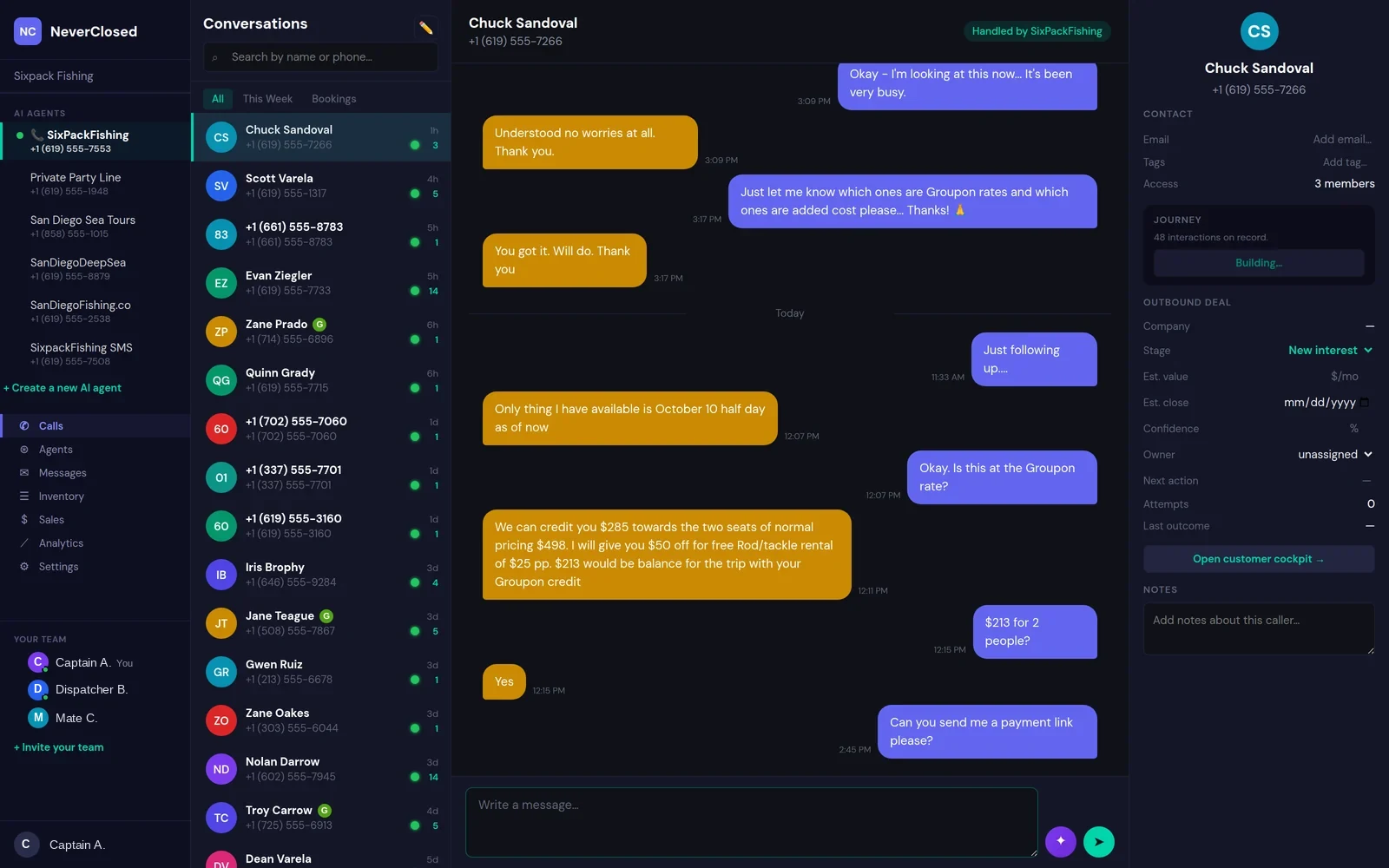
- Unified thread - voice transcript and SMS in one timeline
- Caller recognition - repeat customers greeted by name
- Live handoff - your team can type into the same thread
- Sentiment and summary - written automatically after each call
- Contact record - party size, trip interest, tags, notes
- Deal tracking - stage, value and next action per caller
Outbound
outbound.html · the pipelineThe agent does not only answer - it calls out. Every dial, disposition and retry lands in a pipeline you can work: new interest, follow-up, proposal, won, lost. Drag a card, and the agent picks the conversation back up.
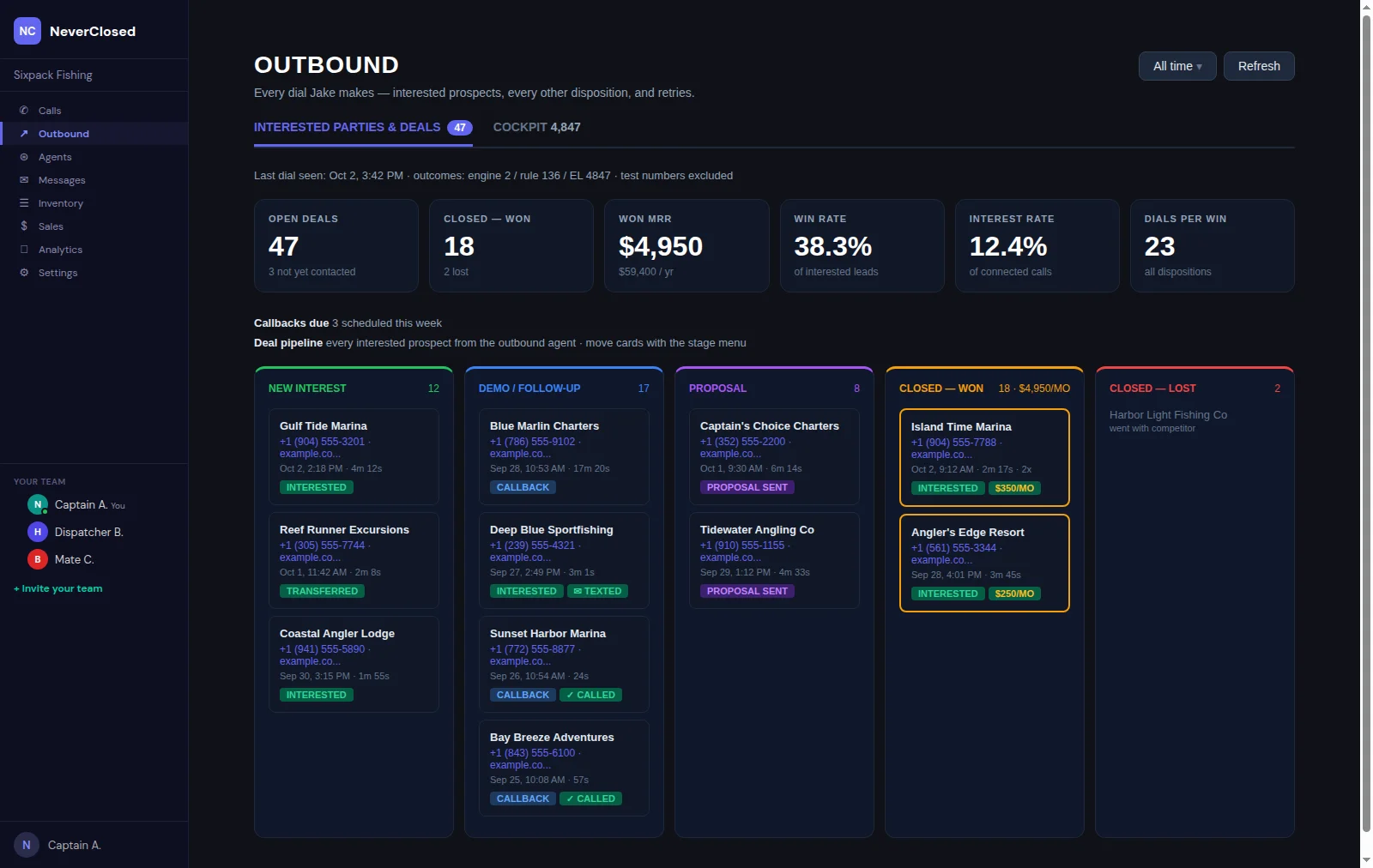
- Deal pipeline - every interested prospect as a movable card
- Win rate and dials per win - measured, not estimated
- Dispositions - connected, voicemail, callback, wrong number
- Callback scheduling - the agent rings back when asked
- Full transcripts - on every outbound attempt
- Objection tracking - what prospects actually push back on
Call Management
callmgmt.html · the controlsThe dialer's safety rails. Calling windows per time zone, daily caps, voicemail limits, duplicate detection, a blocklist and a review queue - so outreach stays inside the hours and the rules you set.
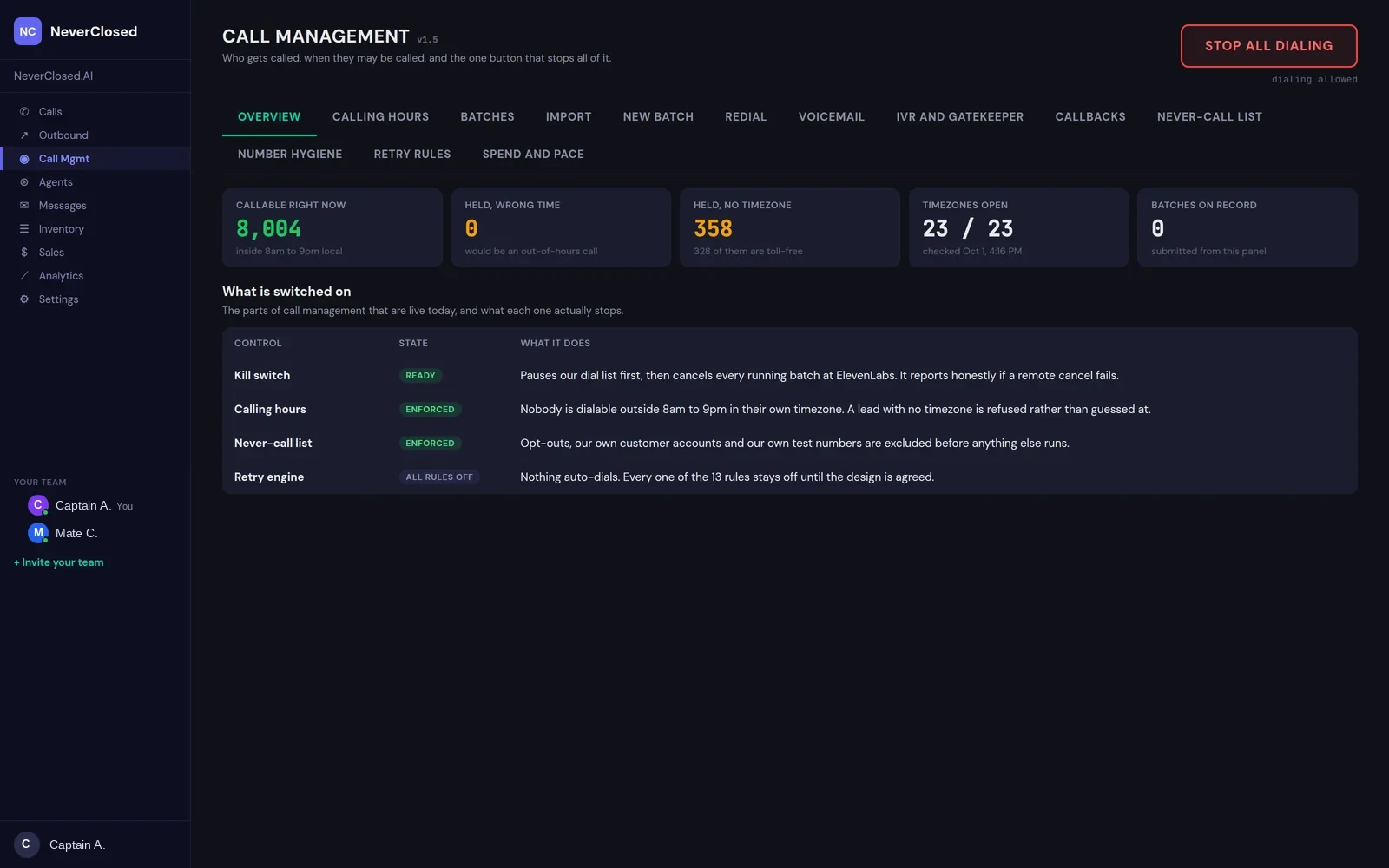
- Calling clock - per time zone, closed outside your window
- Daily caps and pacing - dials and spend, capped
- Retry rules - per disposition, with preview before commit
- Duplicate detection - one number, one conversation
- Blocklist and wrong numbers - removed and remembered
- Review queue - approve a list before a single dial
Agents
agents.html · the voicesEach phone line is its own agent, with its own voice, language, script and number. Run one for the main line and another for after hours, and compare them on calls handled, answer rate and average duration.
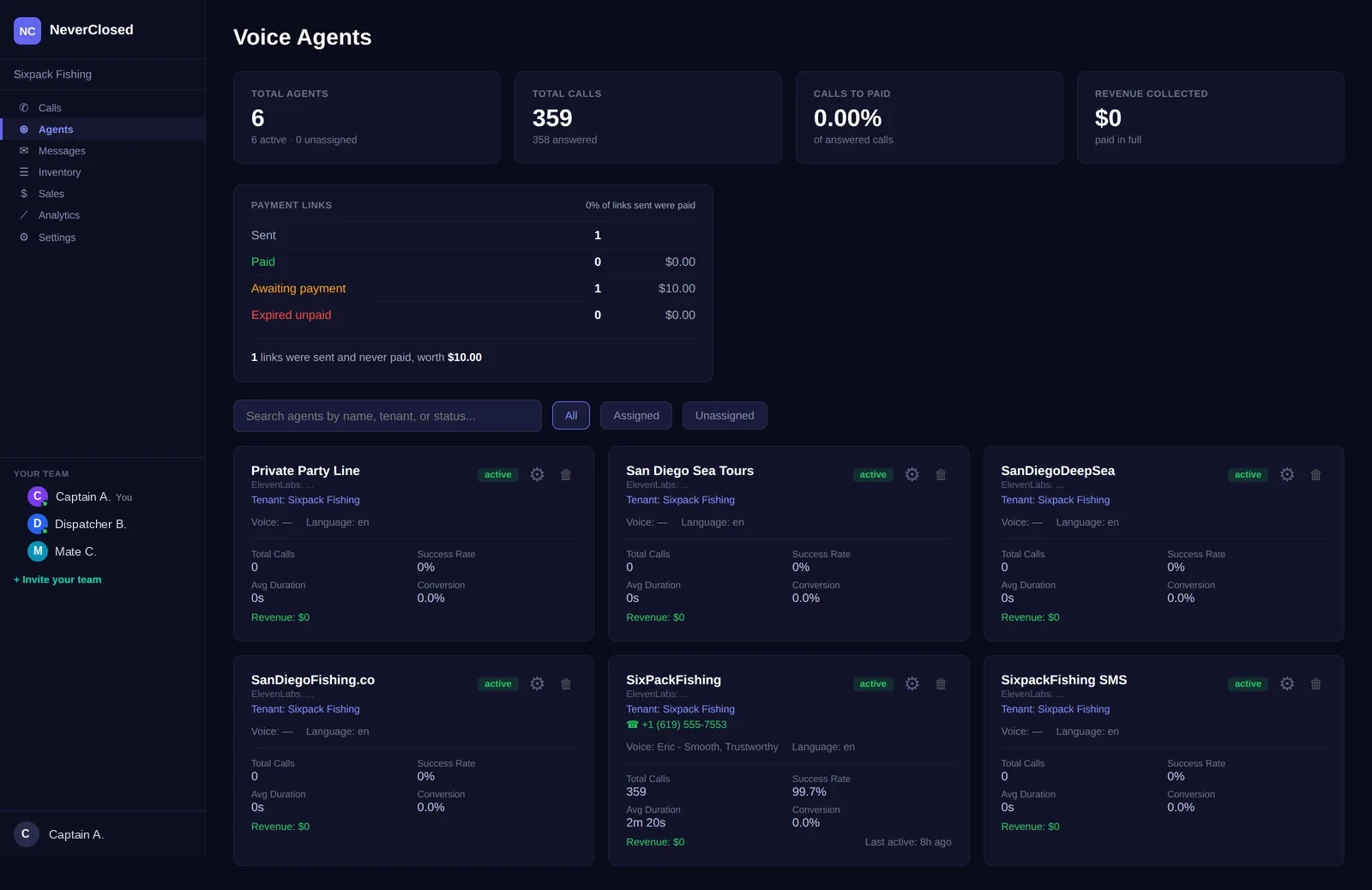
- Multiple agents - one per line, per language, per purpose
- Voice selection - choose and preview the voice
- 30+ languages - the agent answers in the caller's
- Per-agent metrics - calls, answer rate, duration
- Prompt editing - change what it says, without a developer
- Links sent vs paid - stated plainly, never conflated
Messages
messages.html · the paper trailEvery notification the system sent, to your customer or to you, with the exact text and its delivery status. When someone asks whether a confirmation went out, the answer is on this screen.
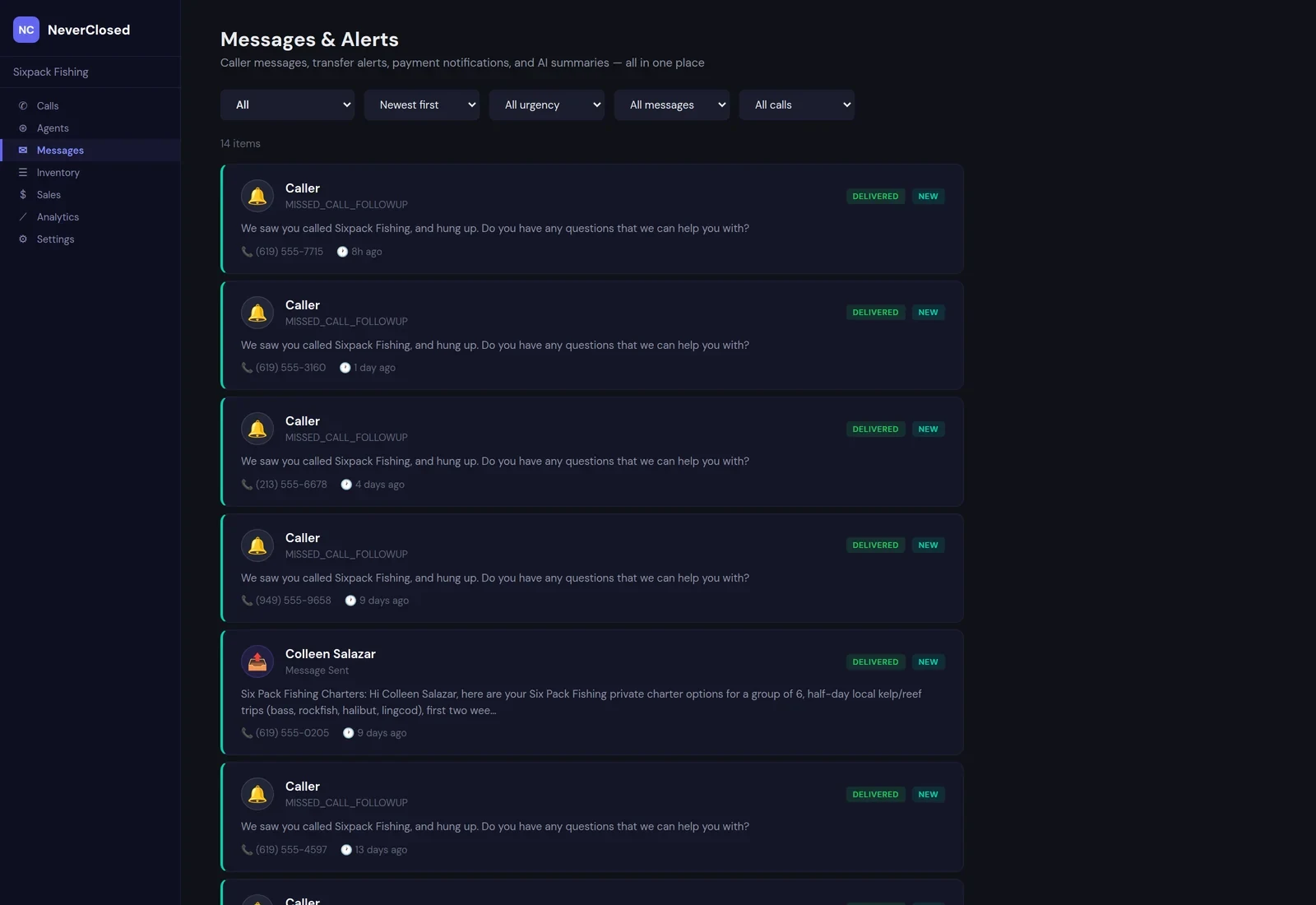
- Full delivery log - SMS and email, customer and staff
- Exact content - the message as it was actually sent
- Delivery status - queued, delivered, failed
- Missed-call follow-up - texted automatically on a hang-up
- Event types - booking, payment, reminder, alert
- Staff alerts - routed to the right person
Inventory
inventory.html · what you sellWhat the agent is allowed to sell, pulled live from your booking platform. Boats, rooms, vehicles, tours - with capacity, description and trip types - so quotes come from your catalogue rather than from a script someone pasted in.
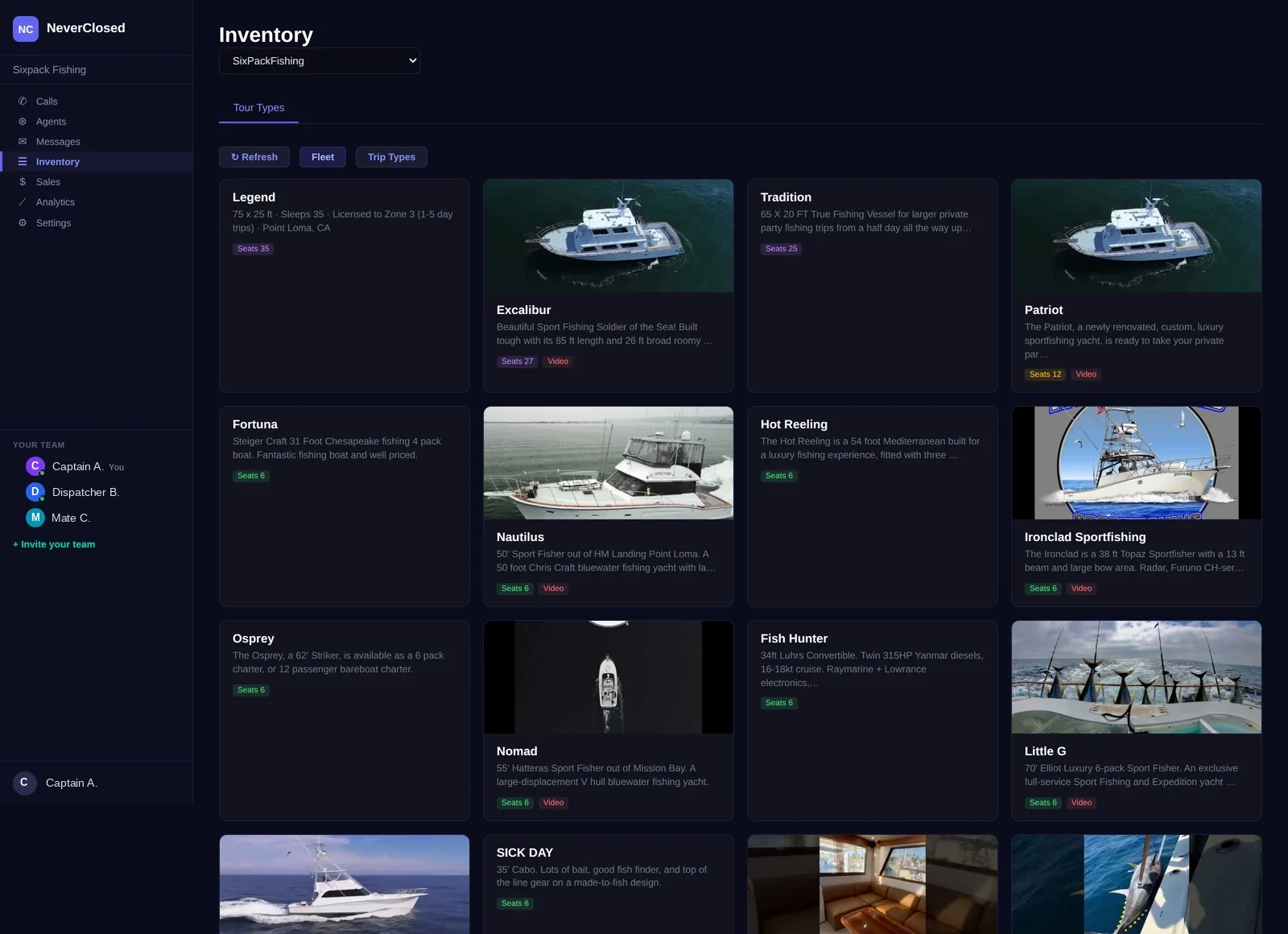
- Live sync - from your booking platform, not a copy
- Capacity aware - the agent knows what fits
- Trip types and pricing - per product, per lane
- Open party and private charter - priced differently, correctly
- Per-agent scoping - each agent sells its own subset
- 46+ platforms - FareHarbor, Rezdy, Peek, Xola and more
Sales
sales.html · the moneyWhat was collected, what is still owed and what is about to expire. Payment links sent but not paid are kept separate from money actually received - because a link someone never opened is not a sale.
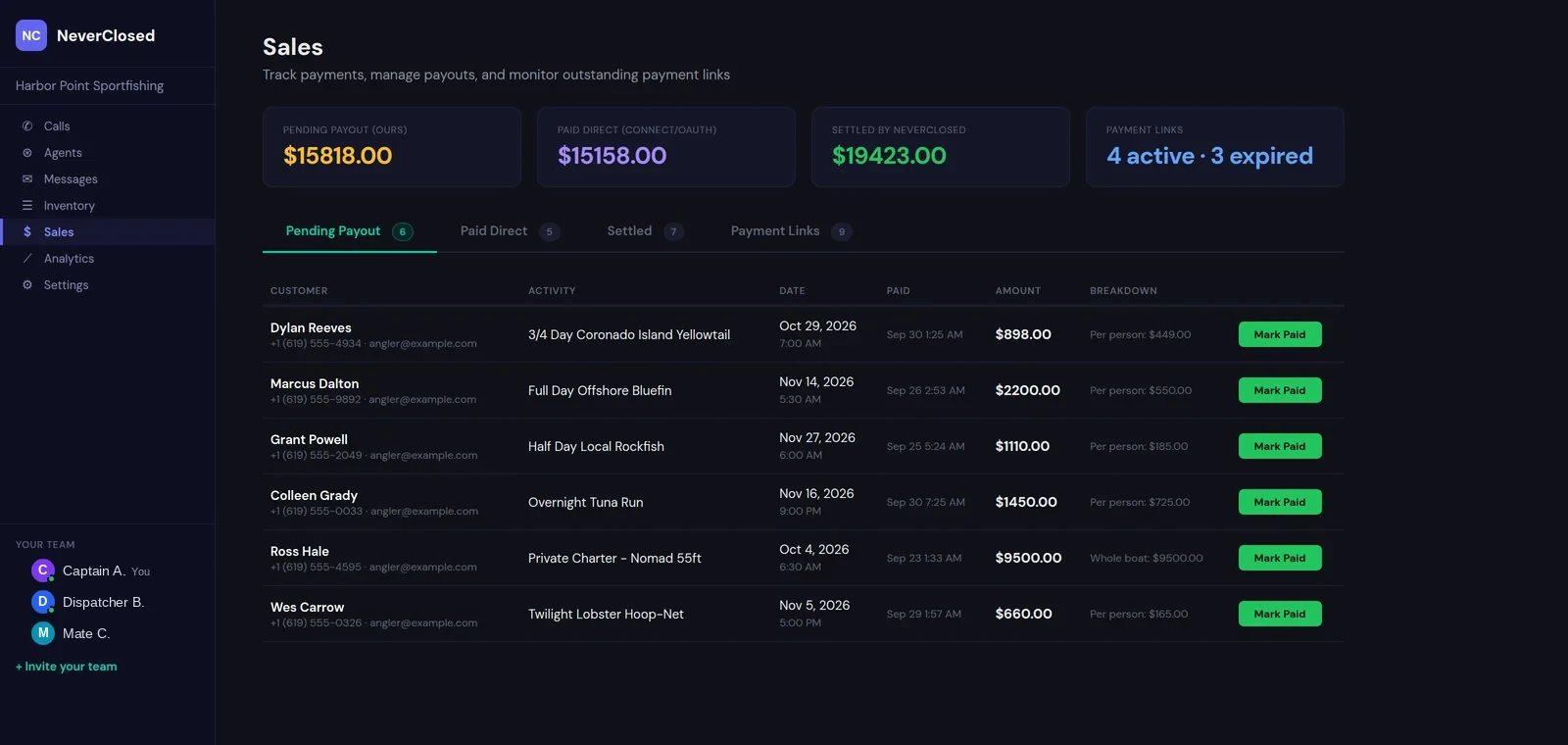
- Sent vs paid - never counted as the same thing
- Expiring links - surfaced before they lapse
- Payout tracking - pending, settled, by whom and when
- Direct settlement - Stripe Connect pays you straight
- Per-booking breakdown - tier, party size, total
- Chase list - unpaid links with a tap-to-call number
Analytics
analytics.html · the truthCall volume, answer rate, busiest hours and where bookings fall out of the funnel - by day, week, month, quarter, year or all time. When there is no comparable prior period, it says so instead of inventing a percentage.
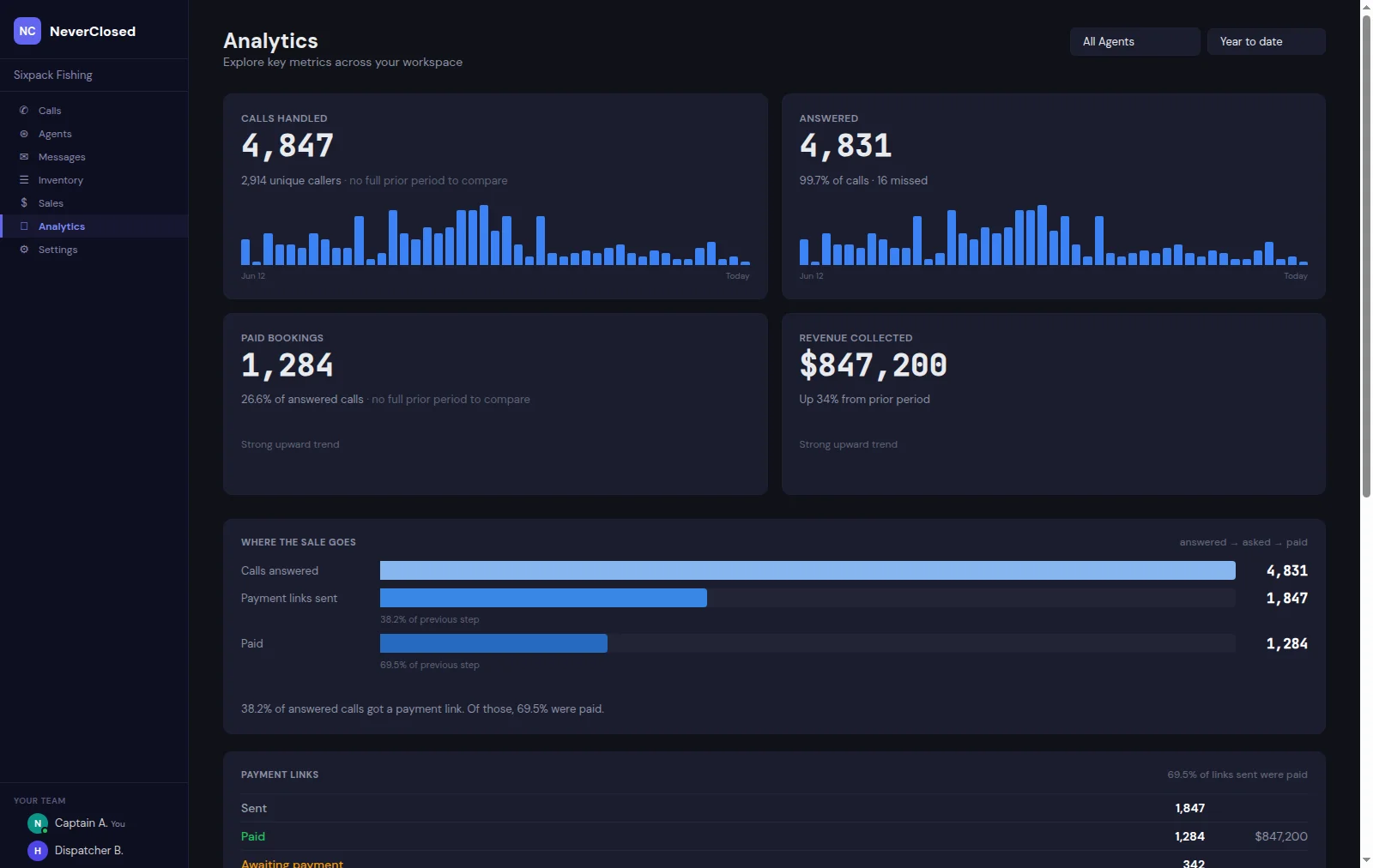
- Every period - day, week, month, quarter, year, all time
- Per-metric trends - each tile charts its own series
- Funnel - answered, asked, paid, with drop-off at each step
- Busiest hours - in your time zone, not the server's
- Honest comparisons - no growth figure against a period you did not trade in
- Per-agent filtering - compare lines against each other
Settings
settings.html · the configurationHours, transfer rules, notification routing, team access and billing. Set when the agent answers, when it hands off to a human, and who gets told what.
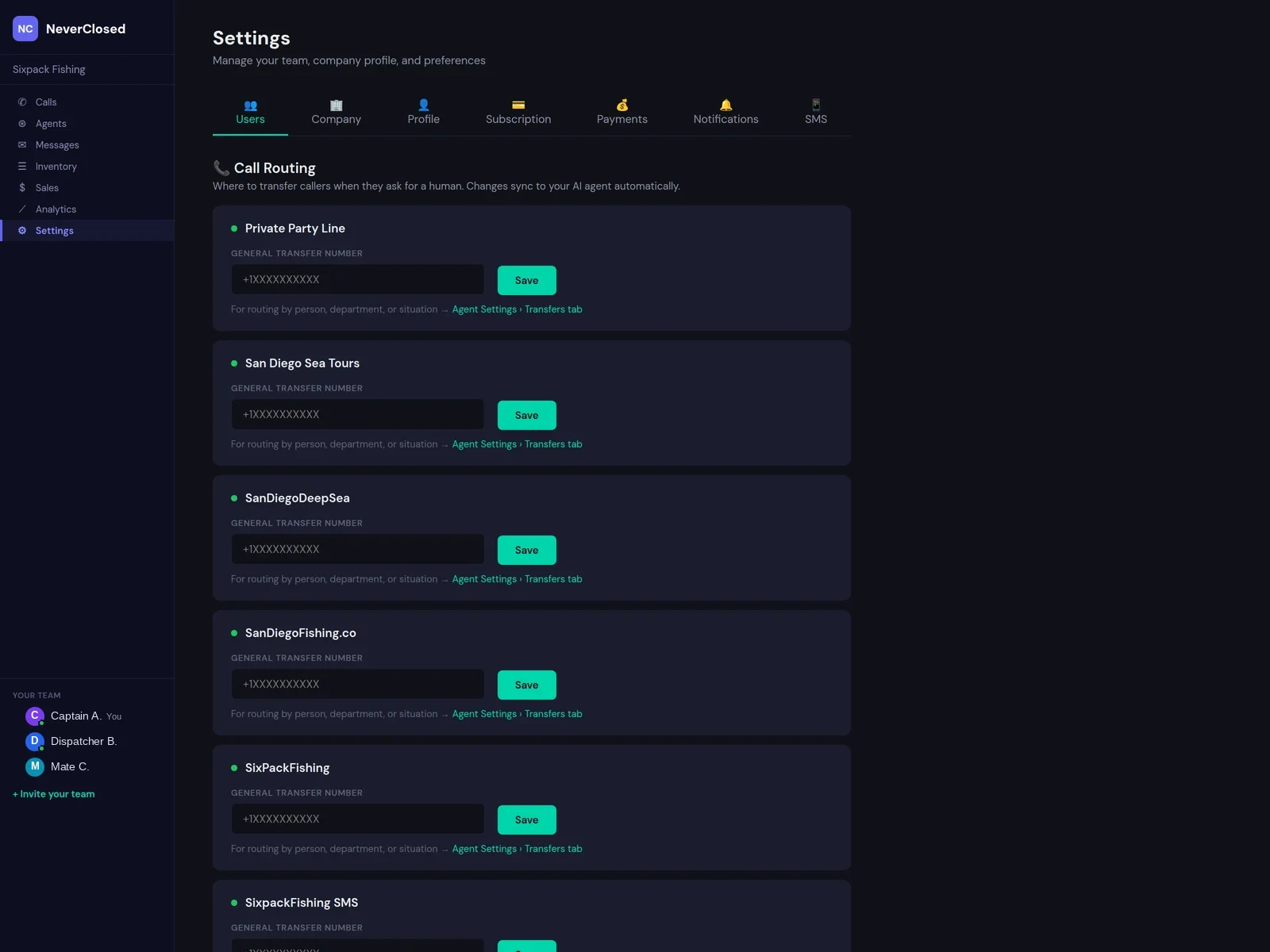
- Operating hours - per day, with after-hours behaviour
- Transfer rules - to a person, by name or by number
- Notification routing - who hears about what, on which channel
- Team accounts - owner, manager and staff roles
- SMS auto-reply - answer texts as well as calls
- Billing - plan and subscription status
See it with your own numbers
We will stand up an agent on your booking platform and your catalogue, and you can listen to it answer.